Phone vs mirrorless camera: when does a professional setup make sense?
Compare convenience, computational processing, lenses, low light and client delivery. A practical guide to when a phone is enough and when a dedicated camera earns its place.
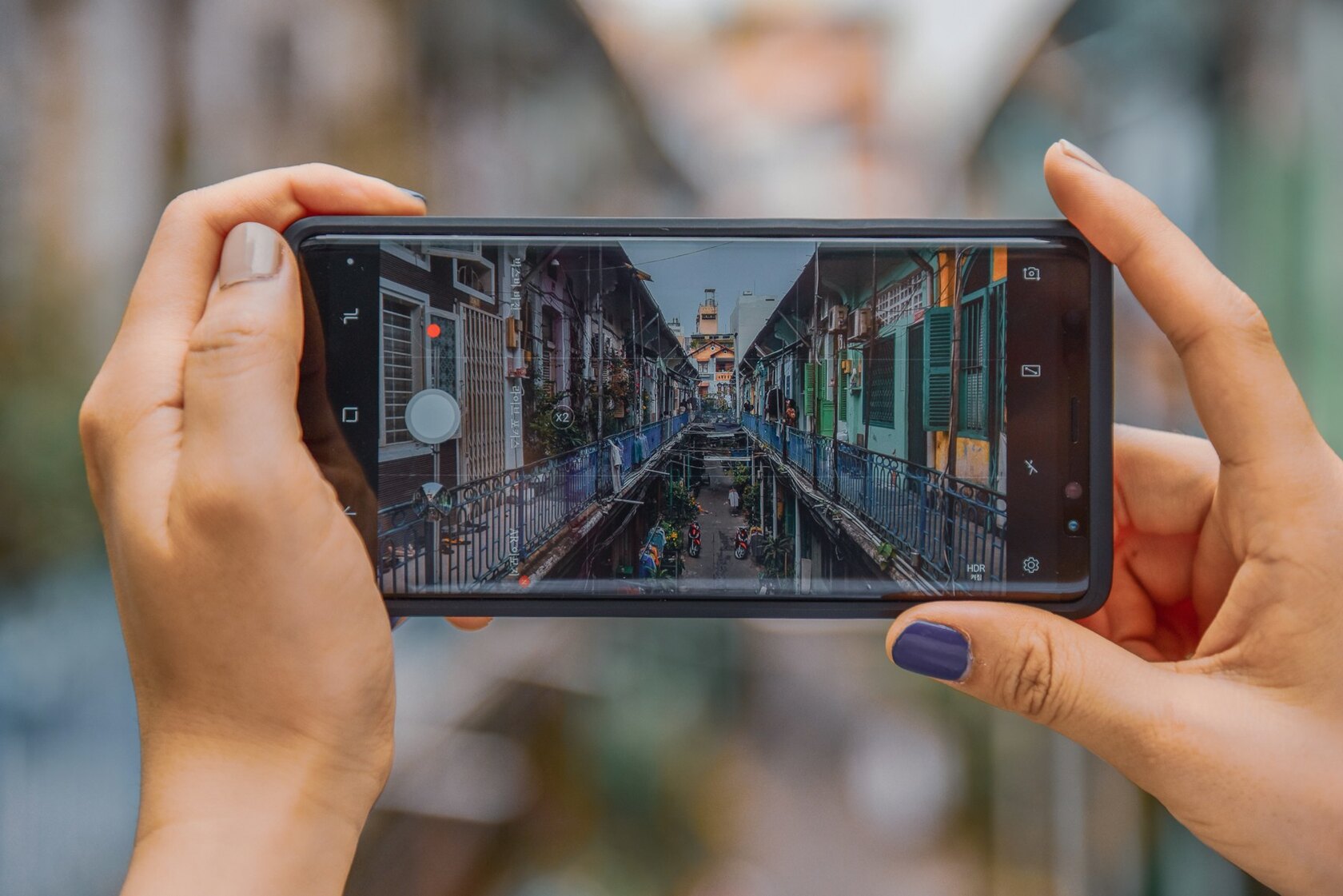
A phone can be the most practical camera for a quick photograph, a travel diary or a fast social-media delivery. A mirrorless system can offer a wider range of lenses, lighting options and physical controls for a demanding assignment. The useful comparison starts with the photograph you must deliver, the conditions in which you must make it and how reliably you need to repeat the result.
First separate two labels. Mirrorless describes a camera design; professional describes the work and its requirements. A paid photographer might use a phone, mirrorless body or DSLR. An expensive camera does not establish whether the finished work meets the brief. Compare complete working setups rather than treating professional as a third sensor category.
| Requirement | Phone: what to assess | Mirrorless or DSLR: what to assess |
|---|---|---|
| Travel and fast social delivery | Portability and a direct editing workflow | Lens choices against the extra carrying requirements |
| Distant action | Timing and usable detail at the required framing | An appropriate lens, focus control and shooting pace |
| Dim light with moving people | Actual subject sharpness across a short sequence | Lens, exposure, autofocus and available lighting |
| Controlled product work | Light, support and the required delivered dimensions | Optics, lighting compatibility and repeatable operation |
| Client delivery | Approved samples, power, originals and backup | The complete file, power and backup workflow |
| Cropping and prints | The actual finished file at output size | The combined lens, sensor and processing result |
Where the phone makes the job simpler
Portability matters because a camera left at home cannot record an unexpected moment. A phone also brings capture, editing and communication into one device. Adobe's smartphone-photography guide identifies that convenient workflow as a practical strength. For a small business needing timely, well-lit images for a social feed, reducing the steps between making and delivering a photograph can be valuable.
Work within the intended presentation. A straightforward photograph in good light may already satisfy the required screen size and crop. Improve the light, background and camera position before assuming a new body will solve the problem. If the recurring limitation is an untidy setup or unclear composition, changing equipment may leave that limitation intact.
Processing is part of the comparison
Many phone photographs benefit from substantial computational processing. Google's published explanation of HDR+ with Bracketing describes merging exposures to improve the balance between highlights and shadows. Its engineers also discuss the challenge of motion between frames. That 2021 engineering account explains a method, rather than ranking every phone available today or proving how an unspecified camera app behaves.
Dedicated cameras also process images, and their available modes vary. Compare the actual files and workflow you intend to use. An immediately polished phone image and an undeveloped camera raw file represent different stages of production. Judge a finished deliverable against another finished deliverable, then separately evaluate how much work and control each route involved.
Sensor size and megapixels answer different questions
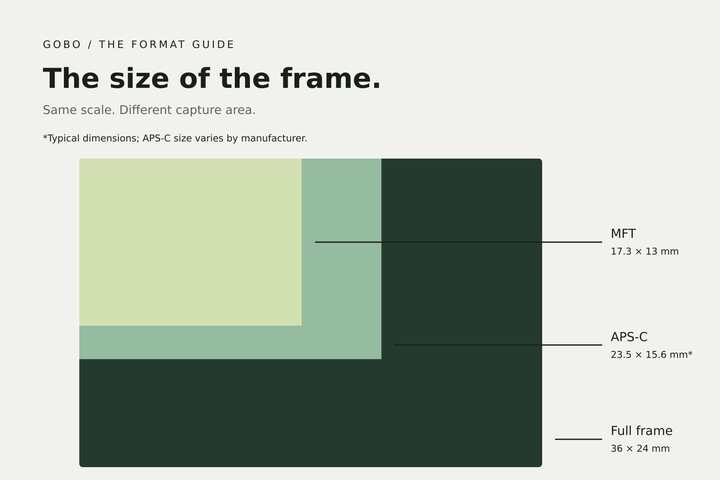
Megapixels describe the number of image samples, while sensor format describes physical dimensions. Nikon's mirrorless introduction distinguishes its DX and FX formats, illustrating why mirrorless alone tells you little about sensor size. A higher pixel count printed on a phone does not automatically establish more usable detail than a lower-count camera file.
A larger sensor can provide useful image-quality potential, but lens performance, illumination, exposure and processing affect the result. Examine texture, highlight handling and editing latitude at the required output size. Heavy cropping or a substantial print may expose differences that are unobtrusive in a small preview. Conversely, an impressive enlarged crop may matter little to a job delivered at modest web dimensions.
Lenses change what you can photograph
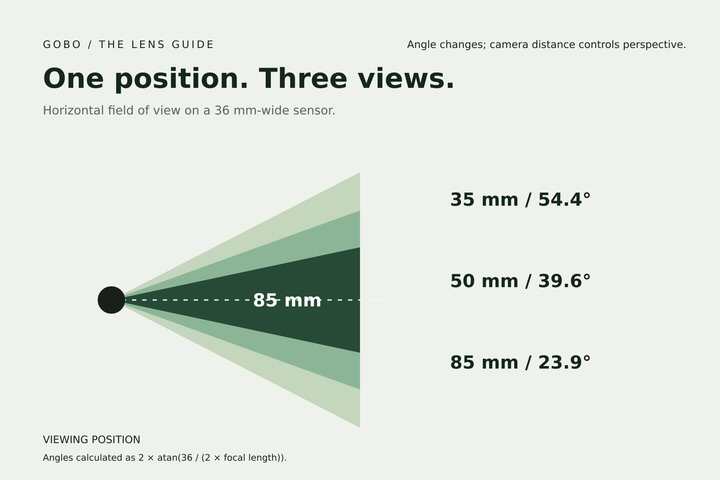
A compatible interchangeable-lens system lets you select optics around working distance, angle of view and the subject. A distant athlete, a tight interior and a small product can require different solutions. Remember that the camera body is only part of that system: the appropriate lens affects cost, weight and practical capability.
Phones offer different lens arrangements, depending on the model. Check whether the framing you need uses a dedicated camera module, cropping or another processing method. A displayed zoom multiplier alone does not tell the whole story. Compare equivalent angles of view and inspect the delivered detail before assuming that a phone setting and a separate telephoto lens provide the same working options.
Portraits and low light need realistic trials
For portraits, assess subject separation and the appearance of important edges. Where a phone uses depth-based background blur, examine hair, glasses and transparent objects. With a dedicated camera, choose the lens, aperture and distance deliberately; a shallow-focus effect can also make the wrong part of the face soft. Neither route removes the need to place focus carefully.
Distinguish a dim, stationary room from people moving through that room. A processing mode that works attractively on furniture may behave differently with a turning face or moving hands. Make a short realistic sequence and compare usable expressions, subject sharpness and waiting time. The exercise tests your actual situation instead of relying on one impressive night photograph of a static scene.
Raw capture adds another decision
Some phones and apps offer raw-oriented workflows. Apple describes ProRAW as combining raw-format information with iPhone image processing on supported models. That is a useful reminder to investigate what a particular format contains. The word raw does not guarantee identical processing, controls or editing behavior across a phone and a dedicated camera.
Check the supported shooting modes, editing software and original-file transfer process. Keep originals when you need the ability to revisit an edit. File size and processing effort also belong in the comparison: a flexible capture format helps only when you have a reliable route from capture to the approved final image.
Paid work depends on the whole delivery process
Agree the required crops, dimensions, color expectations and deadline with the client. Then evaluate focus control, repeated shooting, lighting compatibility, power, file handling and backup arrangements against that requirement. Features such as dual-card recording, flash control or tethering depend on the specific equipment; verify them rather than assuming every mirrorless or DSLR body includes them.
Consider the complete cost too. A dedicated setup may need lenses, cards, a reader, batteries and carrying equipment. A phone-based setup may still benefit from support, lighting or storage. Rent or borrow before a substantial purchase when possible. The purpose is to establish whether the additional kit solves a repeated limitation, not simply whether it looks more convincing on a desk.
Compare one real assignment before upgrading
Use both setups for a small representative brief: a portrait, a moving subject and an image in the light you normally encounter. Keep framing and presentation comparable, process each file appropriately and inspect the final export or print. Note missed moments and delivery time alongside visible quality. Choose the setup that meets the brief consistently, and keep both available when their strengths serve different parts of the work.